What should I edit next?
The film with the earliest promise goes to the top, so you always start with the right one.
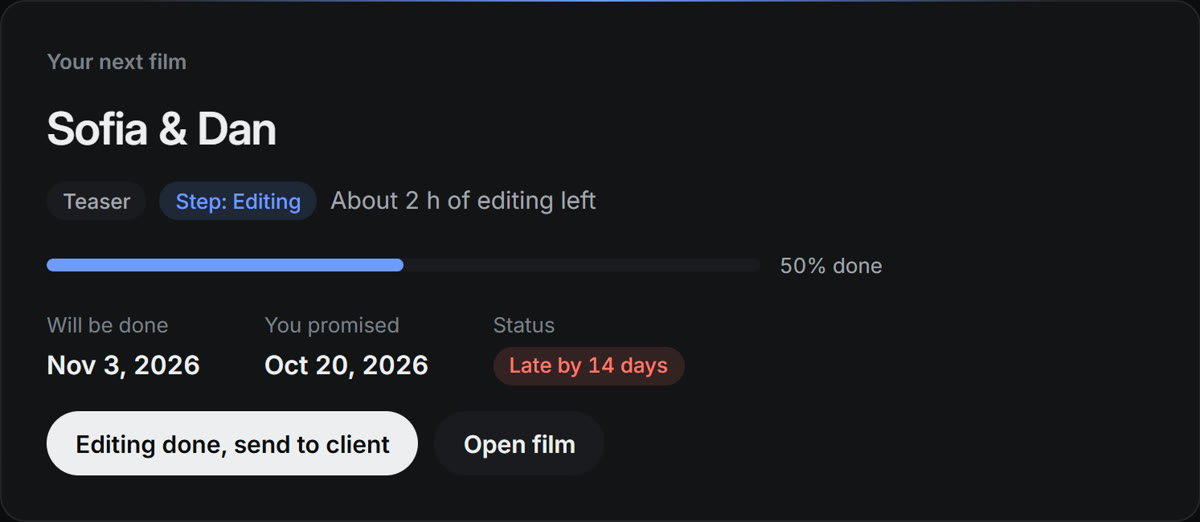
Know what to edit next and when every film will really be done.
7 days free · then $29 once, no subscription · your films saved in your account

ReelDue answers them from your own queue.
The film with the earliest promise goes to the top, so you always start with the right one.
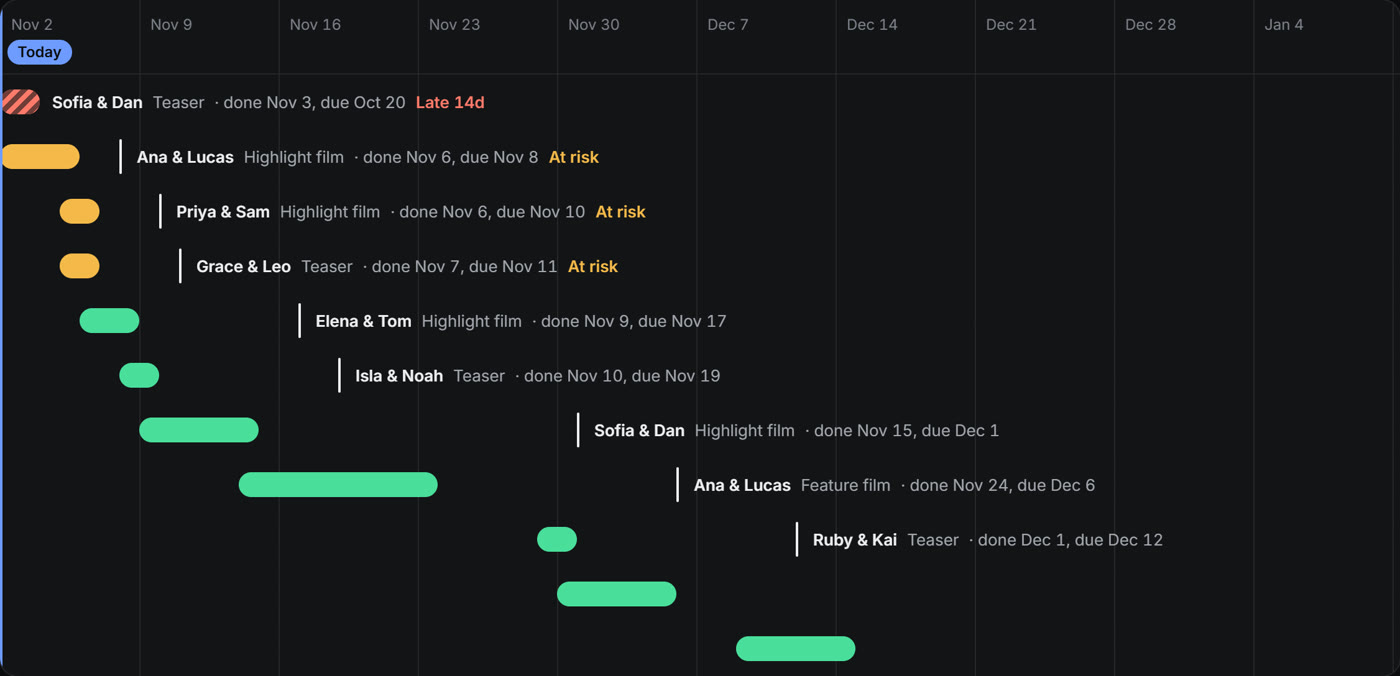
Every film gets a finish date worked out from your editing hours. Late and at-risk films stand out.
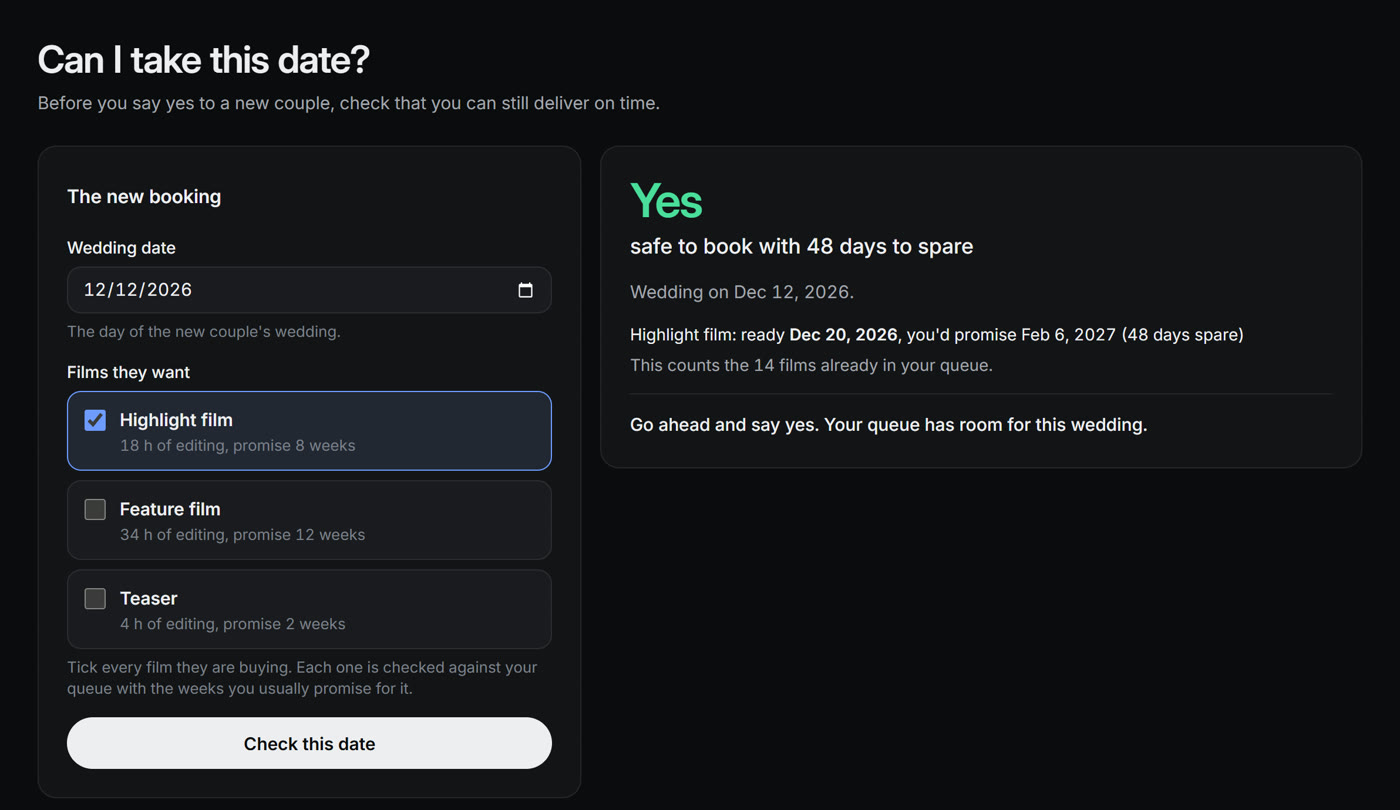
Pick the wedding date and the films the couple wants. You get Yes, Tight or No before you say yes.
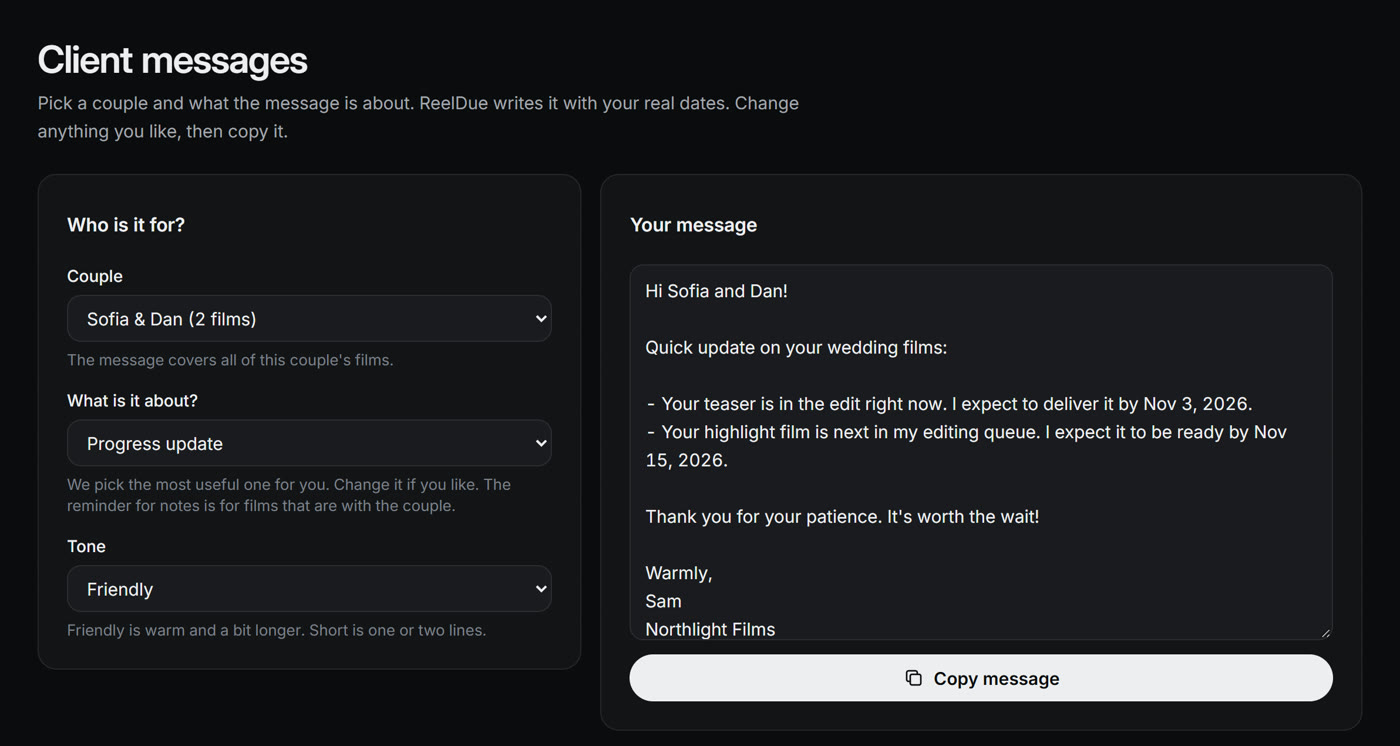
ReelDue writes a calm update with your real dates. Change anything you like, then copy it.
Then edit from the top of the list.
Type each wedding and the films you owe: teaser, highlight, feature. Or start with the example studio to look around.
Tell ReelDue how many hours a week you edit. Add busy season and time off, and the dates follow.
Tap when a step is done. Every finish date moves on its own.
A short film made from the real app.
62 seconds · captions on
Sign in on any computer. Nothing to install.
Sign in with your email and your films are there. No password to remember.
Your films are saved encrypted on our servers, and earlier versions are kept.
Download a copy any time. Delete your account any time.
| In your account | Encrypted on our servers (Cloudflare). |
|---|---|
| On your computer | Nothing is stored. Your films are shown while ReelDue is open. |
| A copy | Download a file whenever you like. |
Try everything free for 7 days first.
ReelDue Pro
If ReelDue ever shuts down, you get 90 days' notice and a full copy of your data.
So you know before you start.
ReelDue saves to your account as you work, so it needs to be online.
It plans your editing and your delivery dates. That's all it does.
Encrypted in your ReelDue account, on our servers. Sign in with your email to see them on any computer.
Yes. Sign in with the same email on each computer. Pro works on up to 3 of your computers.
No, it needs an internet connection. ReelDue saves to your account as you work, and nothing is lost if the connection drops for a moment.
Your films stay readable and you can download a copy. Upgrade to Pro to keep editing.
No. Enter your email, type the 6-digit code we send you, and your 7-day trial starts. No card and no password.
Click Upgrade in the app and pay inside ReelDue. Pro is tied to your email, so just sign in on your other computers. There's no key to copy.
Yes. If ReelDue Pro isn't right for you, reply to your receipt email within 14 days of buying and you get a full refund. No questions asked.
You'll get 90 days' notice and a full copy of your data.
Add your films, set your hours, and see every finish date.
7 days free · then $29 once, no subscription · your films saved in your account